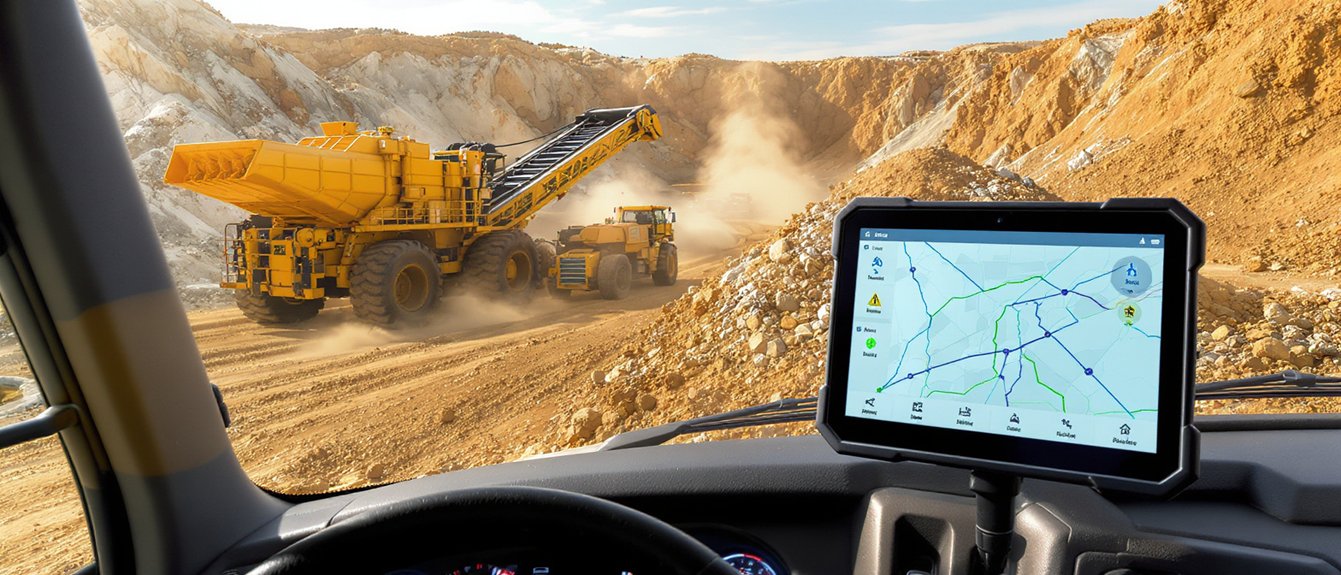
Connecting mobile crusher telematics with your haul truck fleet management system can give dispatchers a clearer view of material flow. Start by identifying the signals that support daily decisions, such as crusher status, feed rate, truck location, and cycle time. Map each signal to a defined operational use, then confirm that the systems exchange data securely and consistently.
Use the shared information to adjust dispatch, reduce avoidable queues, and alert crews to equipment issues before they affect production. Validate data accuracy with operators and equipment suppliers, and set clear procedures for responding to alerts. Protect system access, and make sure any changes to dispatch or equipment operation follow site safety procedures and applicable MSHA requirements. Check current regulations with the appropriate sources.
See How Crusher and Truck Telematics Connect
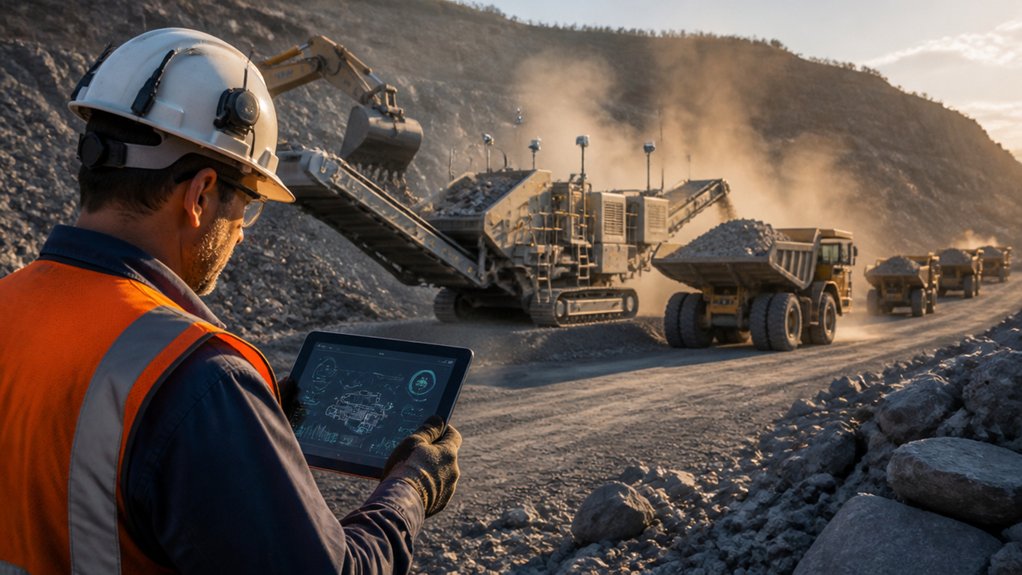
Connecting crusher and truck telematics brings production and haulage data into one operational view. Start by aligning crusher status, feed rate, tonnage, truck locations, cycle times, and payload events with consistent timestamps and equipment identifiers. This shared view helps you spot when the crusher is waiting for material, trucks are queuing, or haul routes are slowing deliveries.
> Align crusher and truck data to spot bottlenecks, reduce queues, and keep material moving.
Use those signals to adjust dispatch timing and crusher operating conditions based on current site activity, rather than relying on separate reports.
Keep operators and supervisors informed with timely alerts and verified equipment status. Set role-based access, use encrypted connections, and authenticate devices to help prevent unauthorized changes to telemetry.
Review alert settings with crews to make sure messages are clear and don’t distract drivers or obscure safety-critical information while equipment is moving. Check current MSHA requirements and site procedures when configuring alerts and communications.
Choose the Data to Share Across Systems
Choose shared data fields that support decisions across the crusher, fleet, maintenance, and dispatch systems without creating unnecessary data traffic. Start with timestamped equipment location, operating state, engine hours, fuel level, payload, cycle time, and production rate.
Share crusher feed rate, blockage alarms, and availability so dispatchers can match truck arrivals to current plant capacity. Provide fault codes and service thresholds to help maintenance teams plan inspections and address issues before they disrupt production.
Use consistent equipment identifiers, units, and update intervals across systems. Flag readings that are stale or missing so operators can recognize when information may not be reliable. Limit worker and machine records to what’s needed for operations.
Apply data privacy controls, role-based access, and retention rules, and restrict safety-critical commands to authorized personnel. Check applicable MSHA requirements and current regulations when setting access and safety procedures.
Review each data field with operators and supervisors. Keep fields that support a clear operational decision, and remove details that don’t.
Connect Fleet Platforms and Map Data Flows
Connect each fleet platform to the crusher’s telematics system using documented interfaces, such as APIs or approved gateways. Map the data flow and record each data source, destination, field, update interval, and responsible system owner. Define units, asset identifiers, timestamps, and status codes so truck and crusher records match without manual interpretation.
Route operating hours, fault codes, location data, and maintenance alerts to the appropriate fleet tools. Limit remote diagnostic access to authorized personnel and approved data. Use encryption in transit, role-based permissions, and audit logs.
Test how the systems handle connection failures and incomplete or delayed data before going live.
Document where data is stored, how long it’s retained, and what’s shared with contractors. Check data mappings against machine records and reporting needs, then verify that compliance reports capture required events accurately. Review current MSHA requirements that apply to your operation.
Control, review, and document interface changes so operators and equipment suppliers can trace them.
Use Live Telematics to Balance Hauls and Queues
Use live telematics to monitor crusher throughput, feed rates, and operating status.
Adjust truck dispatch intervals to match available crusher capacity, helping prevent hopper overloads and interruptions caused by insufficient feed.
Track queue times and haul routes, then reassign trucks promptly as conditions change.
Maintain safe following distances and follow site traffic controls.
Review current MSHA requirements and site procedures when updating dispatch practices.
Track Crusher Throughput
When haul trucks deliver material faster than the crusher can process it, queues grow and production can suffer. Track throughput by integrating telematics, crusher feed rates, operating hours, downtime, and truck payload records in one live view. Compare processed tons per hour with incoming tons to see whether the crusher—not haul capacity—is limiting output.
Use belt-scale readings or validated production estimates, and flag sensor gaps before relying on the data. Review trends by shift and material type because rock hardness, moisture, and feed size can affect crusher performance.
If throughput drops, review alarms, power draw, chamber conditions, and recent stoppages with the operator.
Keep personnel clear of moving equipment. Follow site procedures and applicable MSHA requirements, and check current regulations before inspection or maintenance. Share verified performance data with supervisors so they can address bottlenecks safely without overloading the crusher.
Match Truck Dispatch
Once crusher throughput is visible, align truck dispatch with the plant’s current capacity. Use telematics to review crusher feed rate, truck payload, travel time, and loading status before assigning the next haul. Dispatch trucks from suitable loading points at intervals that keep the crusher supplied without exceeding its rated capacity.
If throughput drops, hold or redirect trucks according to site procedures. Give drivers clear instructions, and keep them out of restricted or congested operating areas. Share dispatch changes through the fleet system and confirm receipt by radio when required.
Review driver behavior data, including speed, harsh braking, and route compliance, to identify ways to support safer, more predictable haul cycles.
Coordinate maintenance scheduling with dispatch so trucks and crusher units due for planned service are removed from availability in advance. After each change, check live conditions and adjust assignments as needed.
Keep the operator’s authority to stop work clear, and follow current site procedures and applicable MSHA requirements. Check current regulations for the requirements that apply to your operation.
Reduce Queue Delays
To reduce queue delays, compare live truck locations, estimated arrival times, payloads, and crusher feed rates before trucks reach loading or dumping points. Use dispatch controls to space assignments and redirect trucks when the hopper is nearing capacity or feed slows.
Operators can use four live signals to adjust haul timing:
- Arrival spacing: Adjust release intervals to prevent trucks from bunching at loading or dumping areas.
- Payload balance: Match loads to crusher capacity and material requirements.
- Queue status: Reroute or hold trucks at designated safe locations as conditions change.
- Equipment availability: Coordinate maintenance schedules with dispatch so trucks aren’t sent to unavailable equipment.
Set alerts for growing queues, and confirm dispatch changes by radio. Follow site safety procedures when holding, reversing, or rerouting trucks. Never prioritize throughput over clear traffic lanes, safe separation, or operator visibility.
Review delay trends each shift and use them to refine dispatch rules and haul timing. Check current MSHA requirements and applicable site procedures when updating operating practices.
Monitor Productivity, Fuel, and Equipment Health
Mobile crusher telematics can help quarry operators and contractors improve production, manage fuel use, and monitor equipment health. Combine crusher and haul-truck data to compare tons per hour, cycle times, idle time, and fuel consumed per ton. Use the results to identify shifts with lower throughput or higher fuel use, then review feed rates, truck assignments, and operating schedules.
Compare trends by shift and material type to help distinguish process changes from equipment issues.
Monitor engine temperature, pressure, vibration, and fault codes for signs of developing problems. Set practical alerts and inspection thresholds, and assign follow-up through your equipment maintenance process.
Use location and equipment status data to coordinate inspections while keeping personnel clear of moving machinery and other hazards.
Treat telematics alerts as a prompt to verify conditions, not as a substitute for inspection or site procedures. Follow applicable MSHA requirements and check current regulations.
Act on confirmed issues, communicate with the crew, and keep workers out of hazardous operating zones.
Solve Compatibility and Connectivity Issues Before Scaling
Before expanding a telematics rollout, confirm that crusher, truck, and fleet-management systems exchange consistent, usable data. Check protocols, units, timestamps, and equipment identifiers; mismatches can skew payload, cycle-time, and maintenance reports. Test connections at each site, including along low-coverage haul routes. Define what happens when a connection drops so operators can still access critical alarms and dispatch instructions.
- Map system interfaces, data owners, and update frequency before integration.
- Compare sensor readings with calibrated scales and operator logs.
- Protect data with encrypted connections, role-based access, and clear retention rules.
- Customize systems only where needed. Document changes and retest after software updates.
Run a controlled pilot to find connection or data problems before they disrupt dispatch or obscure hazards. Set clear escalation steps for lost signals, outdated location data, and conflicting machine alerts. Confirm that technicians, operators, and dispatchers can rely on the workflows before scaling.
Review applicable MSHA requirements and current regulations when defining safety and operating procedures.
Frequently Asked Questions
How Should Operators Be Trained to Use Integrated Telematics Systems?
Train operators with hands-on simulations followed by supervised practice in the field. Cover how to recognize and respond to alerts, follow dispatch workflows, interpret system data, and handle emergencies. Tailor instruction to each role, reinforce safe responses with refresher drills, and verify competency before operators work independently. Review training as workflows or equipment change, and check current MSHA requirements to keep procedures aligned with applicable regulations.
Who Owns Telematics Data Shared Between Crusher and Haul Truck Platforms?
Telematics data ownership depends on the contracts for the crusher, haul truck, and connected platforms. Before sharing data, confirm who can access, use, retain, and export equipment records—and whether those rights differ between raw machine data and platform reports. Put the terms in writing, including limits on onward sharing and retention.
Use role-based access and share only the information needed to coordinate production, maintenance, or safety. For data used in safety-critical decisions, confirm that it is current, complete, and available to the people responsible for acting on it. Check current regulations and applicable site requirements before relying on shared telematics data for compliance.
How Can Companies Protect Fleet Data From Unauthorized Access?
Protect fleet data with encryption in transit and at rest, and limit access through role-based permissions and multifactor authentication. Revoke accounts promptly when employees or contractors leave or change roles. Review access and system logs, apply security patches, and separate operational networks from business networks where practical. These steps help reduce the risk of unauthorized access while supporting reliable equipment operations and safe work. Check current regulations and company policies when managing systems that support MSHA-regulated work.
What Costs Should Be Budgeted for System Integration and Ongoing Support?
Budget for integration engineering, software licenses, API access, hardware upgrades, testing, training, cybersecurity, and planned downtime. Include recurring costs for support, connectivity, maintenance, and upgrades. Before committing, confirm that equipment and software are compatible, identify who will provide support, and test the integrated system under operating conditions. These steps can reduce rework, protect safe operations, and help keep production on schedule. Check current MSHA requirements and other applicable regulations when planning system changes.
How Should Telematics Integration Be Evaluated Before Purchasing New Equipment?
Before purchasing, test telematics compatibility with representative crusher and truck data. Check how the system handles data security, connection delays, and service interruptions. Verify that safety-critical alerts reach the right people and fit your operating procedures. Ask vendors to document integration costs, support responsibilities, and clear acceptance criteria before you commit. Review how the system supports productivity and safe operations, and check current MSHA requirements where applicable.